
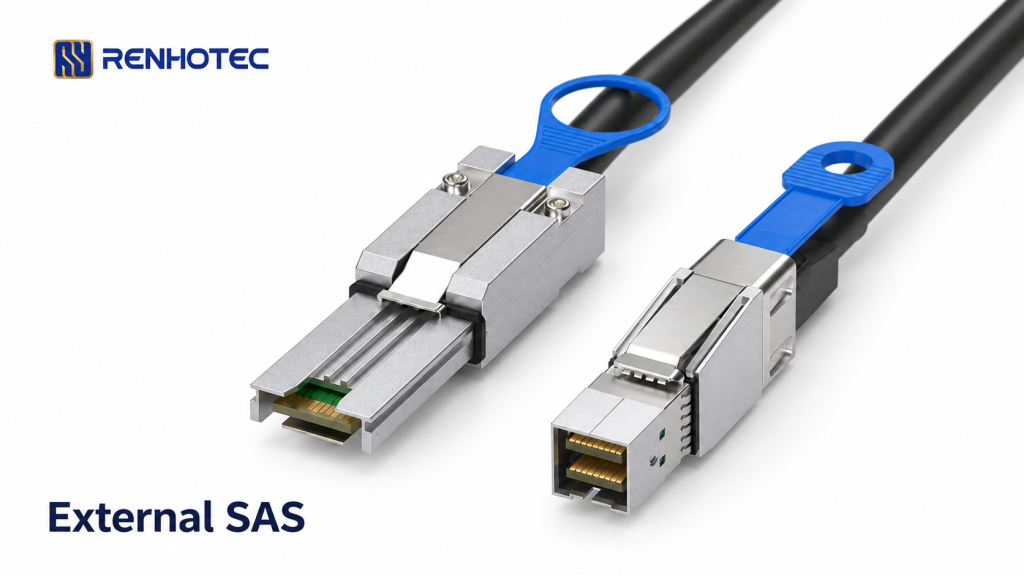
Renhotec RHT-726-2015 is a candidate for an external SAS connection that has SFF-8644 on one device and SFF-8088 on the other. A typical task is connecting an HBA’s external Mini-SAS HD port to a storage enclosure with external Mini-SAS. The assembly has one plug of each type; it does not break out into individual drive connectors.
Start with the two equipment ports, then check the enclosure’s cabling arrangement and the physical route. A matching pair of plugs is only the mechanical starting point for selecting the cable.
Match the port at each end
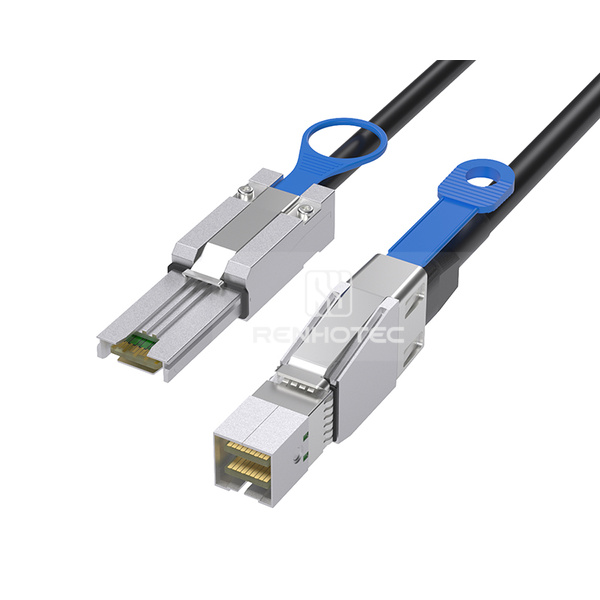
Read the connector designation for the exact HBA and enclosure model. SFF-8644 is external Mini-SAS HD; SFF-8088 is external Mini-SAS. The related internal interfaces, SFF-8643 and SFF-8087, require different mating plugs. A listing that says only “Mini-SAS” leaves this distinction unresolved.
| Ports on the two devices | Matching cable configuration |
|---|---|
| SFF-8644 + SFF-8088 | RHT-726-2015 External Mini-SAS HD to external Mini-SAS |
| SFF-8644 + SFF-8644 | RHT-726-3021 External Mini-SAS HD at both ends |
| SFF-8088 + SFF-8088 | RHT-726-2017 External Mini-SAS at both ends |
This table selects the connector combination. Check the linked product’s drawing and the equipment’s cable requirements before treating it as a replacement. For an internal port or a drive breakout, compare the relevant assemblies in the high-speed I/O cable range.
Find the enclosure’s host connection
The enclosure-side socket needs the correct role as well as the correct shape. For example, Dell’s MD1200/MD1220 documentation identifies an SFF-8088 IN connection for the host and an SFF-8088 OUT connection for an additional enclosure. That distinction belongs to those enclosures; use your own model’s cabling diagram to locate its host connection.
Record the enclosure module and port label, especially when there is more than one controller module or more than one connection path. Follow the documented arrangement for the intended drive group and redundancy mode. One RHT-726-2015 provides one cable connection; it does not establish a redundant path or determine how many drives the enclosure exposes.
On the HBA side, Broadcom’s LSI SAS 9300-8e guide, section 7 describes connecting an external SFF-8644 port to a SAS enclosure using the enclosure’s appropriate connector. This is a useful example of checking both endpoints, not a qualification of RHT-726-2015 with that HBA or a particular Dell enclosure. The enclosure also needs its specified power supply; this cable has no separate drive-power lead.
Check the published 2 m configuration against the route
The RHT-726-2015 R1.0 drawing, dated 17 June 2024 specifies an overall length of 2000 ±30 mm between the indicated datums. That is the complete assembly dimension shown on the sheet, not two metres of unobstructed routing space between the rear panels.
- Measure the intended path from port to port through the cable-management points, rather than the straight-line distance between chassis.
- Include the connector housings and access to both release pulls. Check the rack door, adjacent connectors and any service movement required by the equipment instructions.
- Support the cable along the route so its weight does not load the plugs. Confirm the permitted bend radius before specifying tight turns; the public drawing does not provide that limit.
If this route cannot be served by the drawn configuration, specify the required length against an order drawing. A longer cable needs its own performance and equipment check; the dimensions of this sheet do not establish other available lengths or their limits.
Agree the system requirements before ordering
Keep connector format and link performance as separate requirements. Broadcom’s cable guide lists SFF-8644/SFF-8088 assemblies by cable part number, length and supported controller. Those qualifications apply to the listed Broadcom assemblies. They do not transfer to another cable just because its ends have the same names.
For RHT-726-2015, the public drawing supplies the mechanical configuration and connection map, but no data-rate qualification for your equipment combination. Establish the required SAS link rate from the HBA and enclosure specifications, then confirm the selected cable length and assembly meet that requirement. An SFF-8644 plug alone does not prove that the complete link will run at 12 Gb/s.
For a RHT-726-2015 configuration inquiry, include the HBA and enclosure model numbers, photographs or drawing references for both ports, the enclosure’s port label and cabling mode, the measured route and the required link rate. These details let the cable configuration be checked against the intended connection before an order is placed.